Tuesday, July 15, 2008
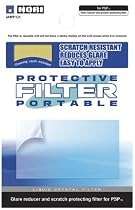
From HORI
PRODUCT FEATURES:Anti-reflective layer;Hard coated layer;Silicon adhesive layer
Many people have problem applying the filter. If you just peel off and apply the sticker directly, you will face the following 3 major problem: 1. Dust particles 2. air bubbles (or known as air pockets) 3. Sticker orientation accuracy To solve the above problems, here is the secret and the correct steps, not limited to this PSP filter, in fact, this secret applied to all stickers application. Do the following steps, and you will be amazed with the result. 1. Wipe the screen clean 2. Spray diluted body shampoo (lotion, detergent, etc.. anything alcaline based will do, just add water to make it diluted) on both the screen and the sticky side of the filter (I said SPRAY! Spray-job is more even than hand-job, hand-job still works but risk of finger prints and your hand has to be applied as well, and rather a bit messy) 3. Apply the filter (while it is still wet on both screen and sticker) 4. Adjust the filter to the correct position desired. 5. Push the liquid out with a credit card from middle to outside (at the same time, dust particles come out together with the water) until it is completely dry. You then have a perfect application of filter and air bubble-less. This is the same technique as applying tinted film/stickers on glass windows, car windows and wind screen by the car assessories professionals. Try it, you will be amazed by the result. Don't blame the sticker for air pocket, you only need to know the right technique, that's all.
Subscribe to:
Post Comments (Atom)
0 comments:
Post a Comment